
Five interior formatting mistakes kill puzzle books on KDP. None of them are creative decisions. They are spec errors that turn a publishable book into a refund magnet. Gutters too tight, fonts not embedded, four puzzles crammed onto a page, solutions placed in the wrong section, bleed enabled when it should not be. Every one of those errors gets corrected by reading the spec sheet before exporting the PDF, not after Amazon rejects the upload or the first 1-star review lands. This is the complete spec sheet.
Why puzzle book formatting matters more than fiction
A novel can survive sloppy formatting because the reader is in the story. A puzzle book cannot, because the format is the product. Three specific failure modes are unique to puzzle books.
- Grids that compress in the gutter. An 8.5 x 11 word search grid placed too close to the inside margin loses the leftmost column of letters when the book is held open. Readers cannot solve. Reviews go to 1-star.
- Ink bleed-through on duplex puzzle pages. Cheaper paper grades show the next puzzle through. Solvers see the answer to the puzzle on the back. Frustration follows.
- Cell size too small for a pen. Sudoku cells under 0.6 inches make digit writing impossible. The puzzle is technically solvable, practically unusable.
Each of these failures appears in the digital preview as a tiny visual flaw that looks acceptable on screen. They become unacceptable in printed form. The proof copy is the only reliable validator.
Activity book vs low content book classification
KDP classifies any book with puzzles, prompts and a solutions section as an activity book, not a low content book. That distinction unlocks the Books > Humor & Entertainment > Puzzles & Games category tree, which is where puzzle buyers actually shop. The KDP activity book formatting requirements are slightly stricter than low content (mandatory solutions section for puzzle types, recommended page count above 24), and they reward the extra effort with better category placement. See the full activity book classification guidance in the best puzzle book types for KDP guide.
Trim size and page setup
8.5 x 11 inches is the universal default
92 percent of top-selling puzzle books on Amazon use 8.5 x 11 inches. The reason is mechanical: a 20 x 20 word search grid fits with 0.4 inch cells, a sudoku grid fits at 6.5 x 6.5 inches with 0.72 inch cells, and large print 30 point text fits comfortably. Any smaller trim cramps the grid. Any larger trim ($1.20+ extra print cost) cannot justify the premium pricing.
When to use 6 x 9 inches
6 x 9 inches works for two specific cases. Pocket travel puzzle books for commuters who want to fit the book in a coat pocket. And puzzle books marketed as gift books at premium price points where the smaller trim signals "curated" rather than "bulk". Outside those two cases, 6 x 9 puzzle books underperform 8.5 x 11 versions at 3:1 because grids compress to barely usable size.
When to use 8 x 10 inches
8 x 10 inches is a small niche favored by some senior large print publishers because the book is slightly easier to hold than 8.5 x 11. The downside is reduced grid space (1 inch less width). Stick with 8.5 x 11 unless you have a specific design reason.
| Trim | Best use | Max puzzle grid | Print cost (158 pages, white) |
|---|---|---|---|
| 8.5 x 11 in | Almost all puzzle books | 7.5 x 7.5 in | $2.86 |
| 8 x 10 in | Senior large print niche | 6.5 x 7.5 in | $2.62 |
| 7 x 10 in | Compromise size, rare | 5.5 x 7.5 in | $2.42 |
| 6 x 9 in | Pocket travel only | 4.5 x 7 in | $2.13 |
Margins and gutter (the page-killer specs)
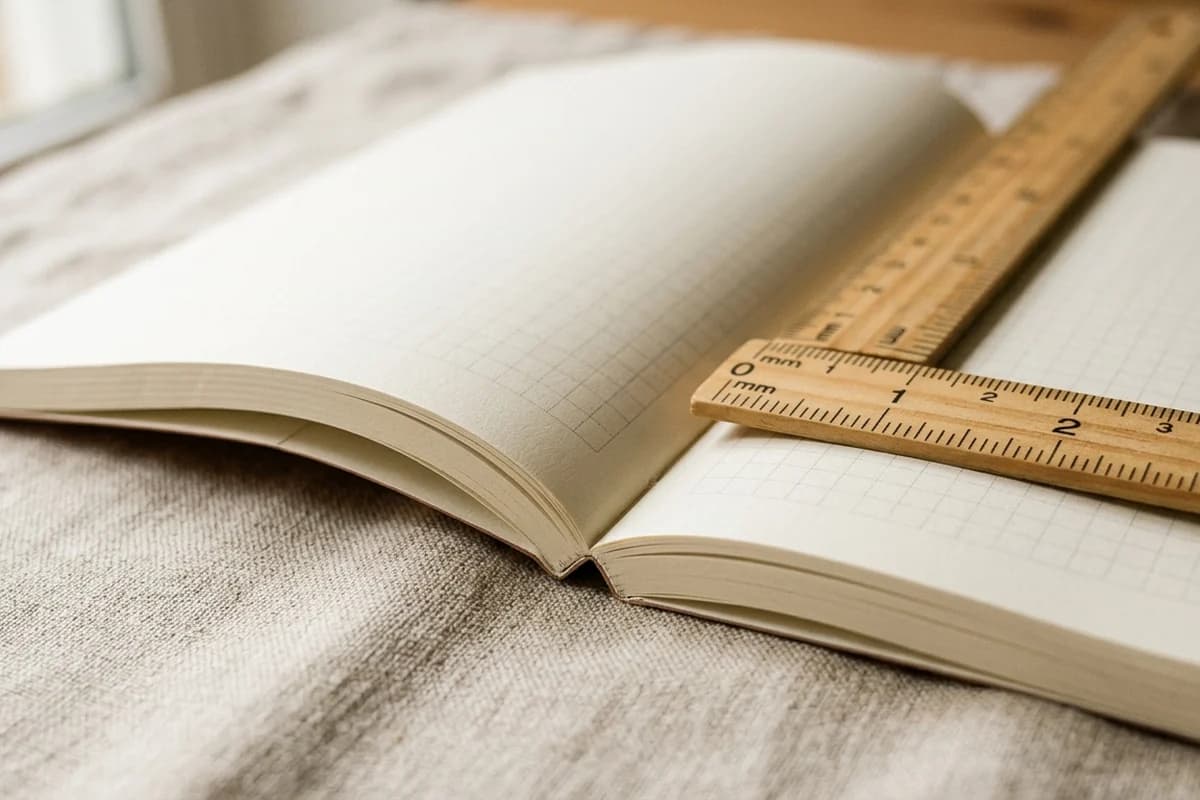
The gutter is the single most overlooked spec in puzzle book formatting. KDP's published minimum is 0.375 inches for 24 to 150 pages and 0.5 inches for 151 to 300 pages. These minimums are safety thresholds, not recommended values. At the minimum, the spine compresses the inner cells of a word search grid by 2 to 4 millimeters when the book is held open, which makes the leftmost column hard to read on a verso (left-side) page.
Recommended margins for puzzle books
- Inside (gutter): 0.75 inches for 24 to 150 pages, 0.875 inches for 151 to 300 pages, 1.0 inch above 300 pages
- Outside: 0.625 inches
- Top: 0.75 inches (room for puzzle number and theme banner)
- Bottom: 0.75 inches (room for page number)
These recommended values give you 7 inches of horizontal space and 9.5 inches of vertical space inside the safety margins on an 8.5 x 11 page. That fits any standard puzzle grid plus a puzzle title, theme banner, and word list comfortably.
The bleed trap
Bleed is the area outside the trim where artwork extends to ensure clean edges after trimming. For 99 percent of puzzle book interiors you do not need bleed. The grids sit comfortably inside the margin and nothing reaches the trim edge. The trap appears when you accidentally enable bleed in InDesign or Affinity for the interior but build the page at exactly 8.5 x 11 instead of 8.75 x 11.25. The PDF exports correctly visually but KDP's previewer flags it as a dimension mismatch.
Two rules. If your interior has no edge artwork, set bleed to none. If your interior has any decorative element that reaches the paper edge, set bleed to 0.125 inches on all four sides and build the page at 8.75 x 11.25 inches before trim. Mixing the two within a single book is the most common KDP rejection reason for puzzle interiors.
Fonts for grids, clues and instructions
Grid letters
Use bold sans-serif. Arial, Helvetica, Open Sans, Roboto, Source Sans Pro. Avoid every decorative or script font. The hidden cost of decorative fonts is that lowercase l (L), uppercase I, and digit 1 become visually identical. Sudoku solvers cannot tell whether a given cell shows 1 or l-rendered-as-1. The book gets returned.
Font size by puzzle type and difficulty
| Element | Standard | Large print |
|---|---|---|
| Word search grid letters | 14 to 16 pt | 30 to 36 pt |
| Sudoku given numbers | 18 to 22 pt | 24 to 30 pt |
| Crossword clue numbers (in cell) | 7 to 9 pt | 11 to 13 pt |
| Word list under grid | 11 to 12 pt (2 col) | 16 to 20 pt (1 col) |
| Puzzle title / number | 14 pt bold | 22 to 26 pt bold |
| Instructions body | 10 to 12 pt | 18 to 22 pt |
| Solutions | 10 to 12 pt | 14 to 16 pt (smaller OK) |
Embedding rules
Every font in your PDF must be embedded. Subset embedding is allowed and recommended because it reduces file size. In Adobe Acrobat: File > Properties > Fonts shows which fonts are embedded. In InDesign: Export > PDF/X-1a:2001 embeds automatically. If a font lacks an embedding license, convert that text to outlines (Type > Create Outlines) as a last resort. Outlined text cannot be searched, but it always renders correctly.
Page layout per puzzle
One puzzle per page (premium, recommended)
The premium standard for adult puzzle books. One grid per page leaves 7 x 9.5 inches of working area inside the recommended margins, which fits the puzzle title at the top, a 6.5 x 6.5 inch grid centered, the word list (for word search) underneath, and the page number at the bottom. Solvers have room for pen strokes, marks, and notes without crowding.
Two puzzles per page (economy, easy difficulty only)
Acceptable for easy sudoku with 4 x 4 inch grids and 12 x 12 word search grids. Cuts page count roughly in half, which lowers print cost and lets you price below $5.99 if needed. The tradeoff is reduced cell size (cells drop to 0.44 inches for sudoku, 0.35 inches for word search at 12 x 12), which works for kids and casual solvers but fails for hard difficulty.
Two-page spread (crossword only)
Crossword puzzles often use a two-page spread: clues on the verso (left) page, grid on the recto (right) page. The advantage is the solver does not flip pages between reading a clue and writing the answer. The constraint is that the verso and recto must be designed as a unit, which means the puzzle must always start on an odd-numbered page (page 1, 3, 5, etc.). Use blank or back-matter pages to enforce this.
Four puzzles per page (do not use)
Some publishers try 4 per page to cut print cost. The resulting cells are 0.3 inches or smaller, which makes the puzzle unsolvable with a pen and triggers refund requests within the first 30 days. Even for ultra-easy sudoku or kids word search, 4 per page is below the usability threshold. Avoid.
Solution placement (back-of-book, every time)
Three options exist for where to place solutions. Only one of them is correct.
Option A: All solutions at the back (correct)
Place a divider page titled "Solutions" after the last puzzle. List every solution, numbered to match its puzzle ("Solution for Puzzle 24"). Compact 2 to 4 solutions per page is acceptable because the solver references the solution only briefly. The first puzzle's solution should be the first solution shown.
Option B: Every 10 puzzles (incorrect)
Some publishers interleave solutions every 10 puzzles thinking it is convenient. It is not. Solvers see the next solution by accident, the book feels disorganized, and the Look Inside preview looks amateur. Avoid this layout.
Option C: No solutions (avoid)
Omitting solutions saves pages but invites 1-star reviews. The only niche where "no solutions" works is cryptic hard crossword books marketed as "no spoilers" for serious enthusiasts. For every other puzzle category, always include solutions.
Solution page density
- Word search: 2 solutions per page (small grayed grids with the words highlighted)
- Sudoku: 4 solutions per page (filled grids at 3 x 3 inches each)
- Crossword: 1 solution per page (full size grid with answers filled in)
- Maze: 2 to 4 solutions per page (path highlighted on a small maze graphic)
Generate KDP-formatted puzzle interiors in one click
KDPEasy exports print-ready PDF interiors with correct margins, gutter, fonts, and a numbered back-of-book solutions section. Free to try.
Create my puzzle book freeFront matter and back matter
Required front matter (4 to 6 pages)
- Page 1 - Title page: Book title, subtitle, volume number, author or publisher name. 24 to 36 point title, 14 to 16 point byline.
- Page 2 - Copyright page: "Copyright © 2026 [Your name or pen name]. All rights reserved." Plus a one-line "no part of this book may be reproduced" notice. ISBN if applicable.
- Page 3 - How to play: 100 to 200 words explaining the puzzle type with a tiny sample if space permits. Always end with "Solutions are at the back of this book."
- Page 4 - Optional table of contents: Only if puzzles are themed and named. Skip for generic puzzle books.
- Page 4 or 5 - Blank or section divider: "Let's begin" or a themed page to mark the start of puzzles. Ensures puzzles begin on odd-numbered pages.
Do not write a four page introduction about the cognitive benefits of puzzles. Buyers skip past anything longer than a page, and a long front matter wastes Look Inside real estate before the first puzzle appears.
Back matter (2 to 4 pages)
- "Also in this series" page: Thumbnail covers of your other volumes with the title and Amazon ASIN below. Single most underused marketing asset in puzzle book back matter.
- "Review request" page: One paragraph asking the reader to leave a review on Amazon if they enjoyed the book. Worth 2x to 4x the organic review rate.
- About the author or publisher page: Optional. Useful if you have a brand or audience.
Page numbering conventions
Page numbers go at the bottom center or in the outside bottom corner (so they remain visible when the book is held open). Use 10 to 12 point sans-serif at standard size, 14 to 16 point for large print. The front matter (title, copyright, how to play) is usually unnumbered or uses Roman numerals (i, ii, iii). Puzzle pages start at Arabic 1.
A common variation puts the puzzle number ("Puzzle 24") at the top center of each puzzle page and the page number at the bottom. The puzzle number is what the solver references when checking the back-of-book solution; the page number is what the reader uses to navigate.
PDF export settings that pass KDP
The export checklist
- Format: PDF/X-1a:2001 preferred, PDF 1.4 to 1.7 acceptable
- Resolution: 300 DPI minimum, 600 DPI for crossword cell numbers
- Color mode: Grayscale for B&W interior
- Fonts: Embed all fonts (subset OK)
- Compression: Lossless or minimal lossy
- Bleed: None for most puzzle books. 0.125 inches if artwork reaches the trim edge.
- Trim marks: None (KDP handles trimming)
- Transparency: Flatten before exporting
- Page count: Even, between 24 and 828
- File size: Under 650 MB
After export, run the file through KDP's free Print Previewer (available in the upload flow). The previewer flags every spec issue: missing fonts, dimension mismatches, low resolution images, content too close to the spine. Fix every flagged issue before submitting.
Three layout walkthroughs
Walkthrough 1: 100 puzzle large print word search for seniors
- Trim: 8.5 x 11 inches, white paper
- Margins: 0.75 inside, 0.625 outside, 0.75 top and bottom
- Grid: 12 x 12 letters at 0.55 inch cells, 30 point Arial bold
- Word list: 18 point Arial, 1 column, 12 words per puzzle
- One puzzle per page, puzzle number at top in 24 point
- Solutions section: 2 per page with shaded grids, 14 point
- Front matter: 4 pages. Back matter: 2 pages
- Total: 124 pages, spine width 0.28 inches
Walkthrough 2: 200 puzzle hard sudoku adult
- Trim: 8.5 x 11 inches, white paper
- Margins: 0.875 inside (book exceeds 150 pages), 0.625 outside, 0.75 top and bottom
- Grid: 6.5 x 6.5 inches with 0.72 inch cells
- Given numbers: 20 point Arial bold; inner gridlines 0.5 pt; 3x3 box separators 2 pt; outer border 3 pt
- One puzzle per page, puzzle number top center, blank space below grid for pencil work
- Solutions: 4 per page at 3 x 3 inches, given numbers in lighter weight to distinguish from solved cells
- Total: 256 pages, spine width 0.577 inches
Walkthrough 3: 80 maze book for kids ages 6 to 8
- Trim: 8.5 x 11 inches, white paper
- Margins: 0.75 inside, 0.625 outside, 0.75 top, 0.75 bottom
- Maze area: 6.5 x 6.5 inches, path width 0.4 inches, wall thickness 2 pt
- Start and finish markers: 0.5 inch icons with the word "START" and "FINISH" in 18 point
- One maze per page, maze number top center in 18 point
- Solutions: 4 per page with path highlighted in 1.5 pt line, scaled to 3 inches
- Total: 100 pages (4 front matter + 80 puzzles + 14 solution pages + 2 back), spine width 0.225 inches
For the full maze-specific spec sheet including age band path widths and themed maze conventions, see the companion guide on how to create maze puzzle books for KDP.
Formatting mistakes that kill puzzle books
The seven most common failures
- Gutter too tight. 0.375 inch gutter compresses inner grid cells. Use 0.75 inch.
- Mixed bleed settings. Some pages built at 8.5 x 11, others at 8.75 x 11.25. KDP rejects the upload.
- Fonts not embedded. Affinity defaults to embed-all-fonts; InDesign does not. Always verify.
- 4 puzzles per page. Cells under 0.3 inches make the book unsolvable.
- Solutions interleaved. Solvers see the next answer by accident.
- Cream paper. Reduces grid contrast. Use white for puzzles.
- Inconsistent grid sizes between puzzles. Looks amateur in Look Inside. Use a template.
Skip the layout work, ship the book
KDPEasy generates the entire interior with correct KDP margins, gutter, fonts, and solutions section. Word search, sudoku, mazes, crosswords. Free to try.
Create my cover freePre-upload testing checklist
- Open the PDF in Acrobat. File > Properties > Fonts. Verify every font reads "Embedded" or "Embedded Subset".
- Zoom to 100 percent. Scroll every page. Check for pixelation, unclear grid lines, missing cell numbers.
- Verify page count is even. KDP rejects odd totals.
- Verify all puzzles have a matching numbered solution in the back section. Spot check 5 random puzzles.
- Verify no content sits within 0.25 inches of any trim edge.
- Run the file through KDP's online Print Previewer (in the upload flow). Fix every flag.
- Order a $7 proof copy. Inspect gutter visibility, ink bleed-through, and cell crispness on physical paper.
Once the proof passes, hit Publish. For the upload metadata, pricing, and launch sequence, see the complete publish a puzzle book on Amazon KDP guide.
A FEW MORE ANSWERS
Frequently asked questions
KDP activity book formatting requirements in 2026: PDF file, 8.5 x 11 inches recommended trim, 300 DPI minimum resolution, embedded fonts (subset OK), grayscale color mode for B&W interiors, even page count between 24 and 828, file size under 650 MB. Minimum margins are 0.375 inch gutter for 24 to 150 pages and 0.5 inch outside/top/bottom. Most successful puzzle books push gutter to 0.75 inches for comfortable handling. Activity book classification (not low content) gets your title into the Puzzles & Games category tree.

ABOUT THE AUTHOR
Danielle Okonkwo
Marketing & Growth Lead at KDPEasy. Danielle is a published author with 12+ titles on Amazon KDP and a former book blogger. She draws on hands-on publishing experience and years of testing what works in the KDP marketplace.
Meet Danielle